
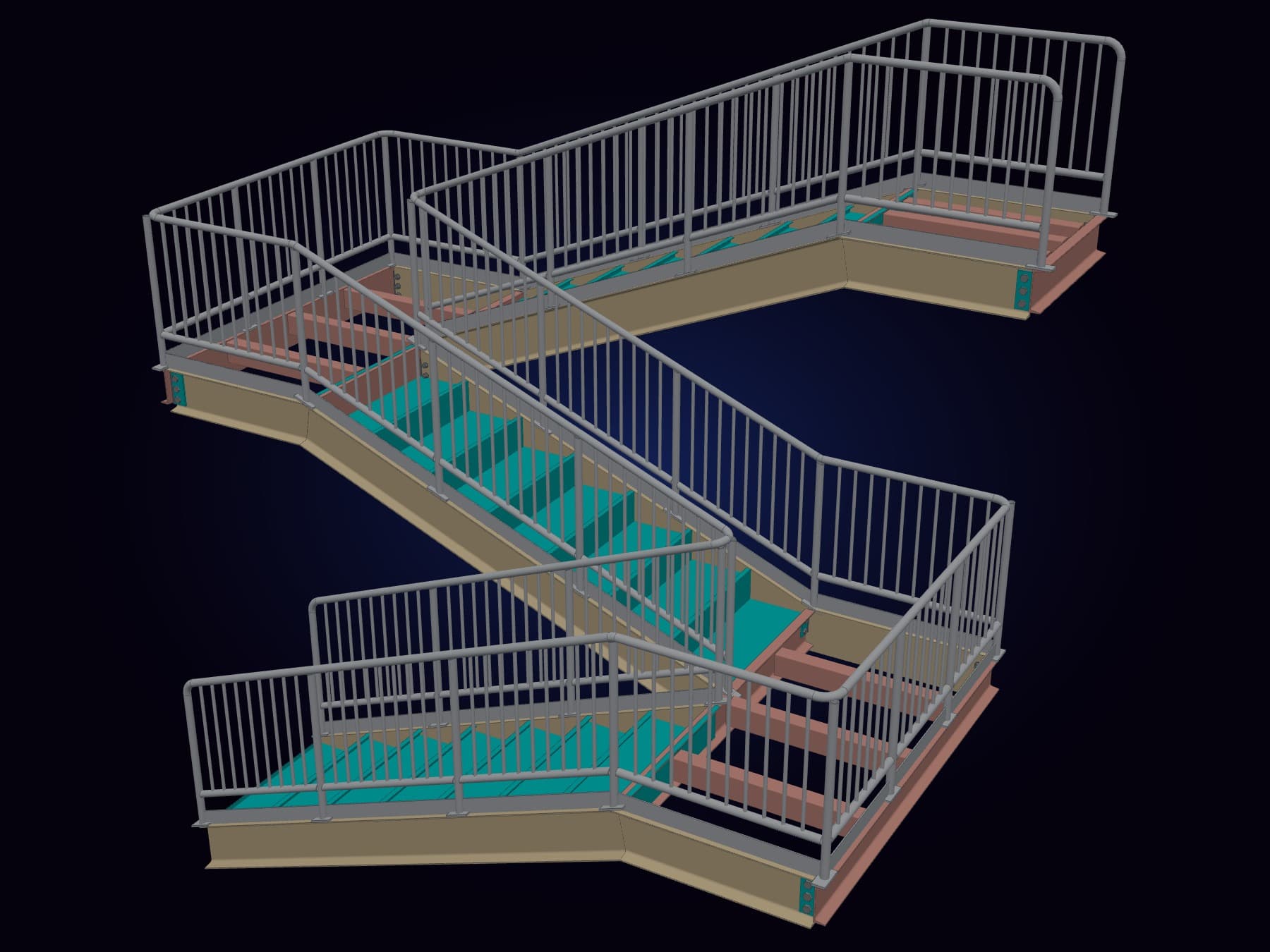
A takeoff is only as good as the model behind it. Over the last releases SteelGenie has learned to build much more of that model for you: whole trusses with their gussets, X-braced bays, curved and arched members, complete stairs, girts, kickers, lintels and decking.
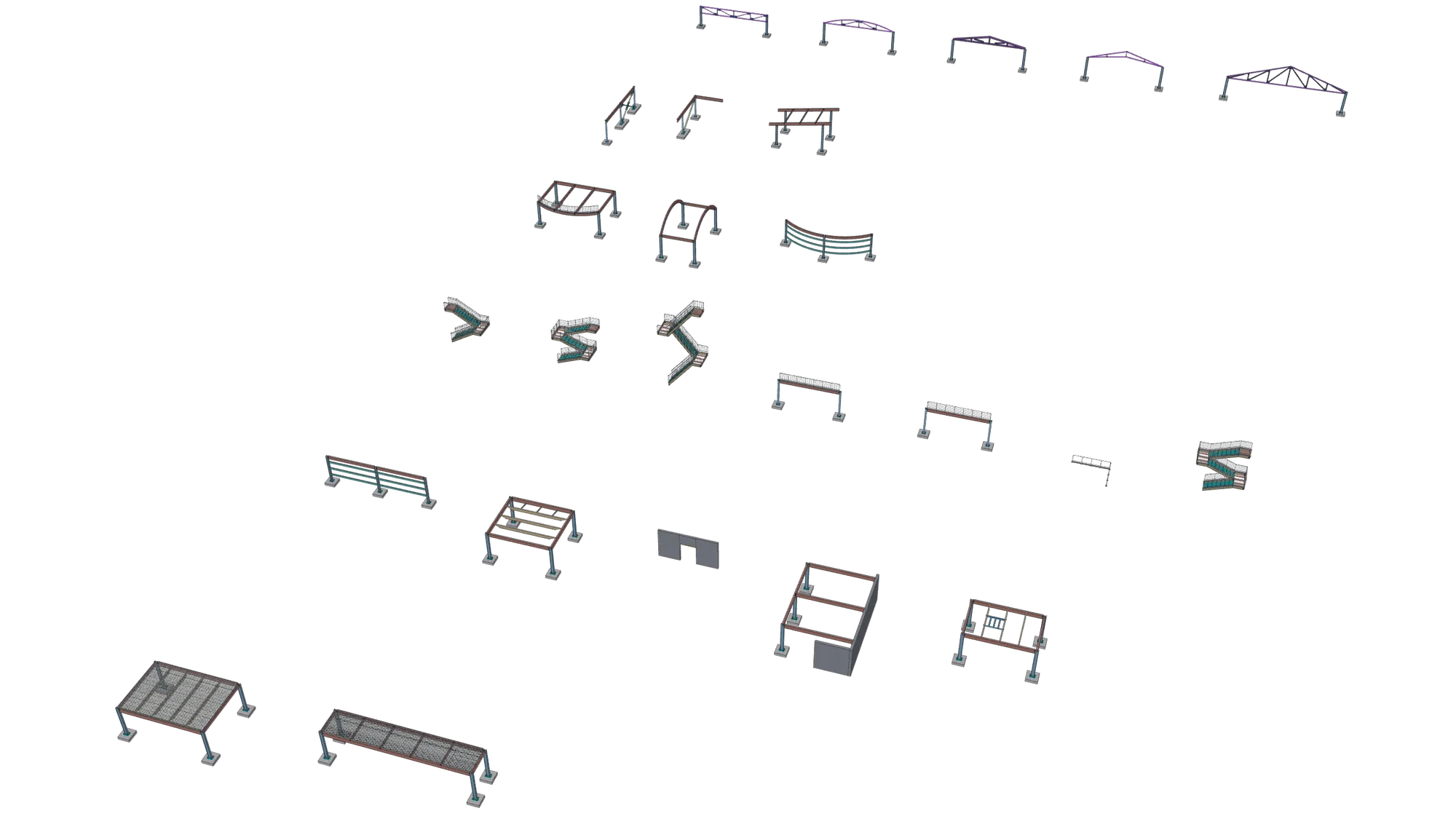
To show where it stands today, we built one showcase model with 25 examples and exported it straight to IFC. Every render on this page comes from that file, and a little further down you can turn the whole model around in 3D.
One model, six rows
The examples sit in six rows, one topic to a row, with the trusses at the back and the decking at the front. Below is the model itself, straight from that IFC file: turn it around and zoom in on any example.
Stairs and railings
Stairs come out complete: stringers, treads, landing framing, guards and handrails. Pick the infill (pickets, midrails or two lines), keep or drop the kick plate, and choose a guard, a handrail or both on each side. The same rail options work on a girder guard and on a rail drawn straight onto the plan.
Guard + Handrail Stair
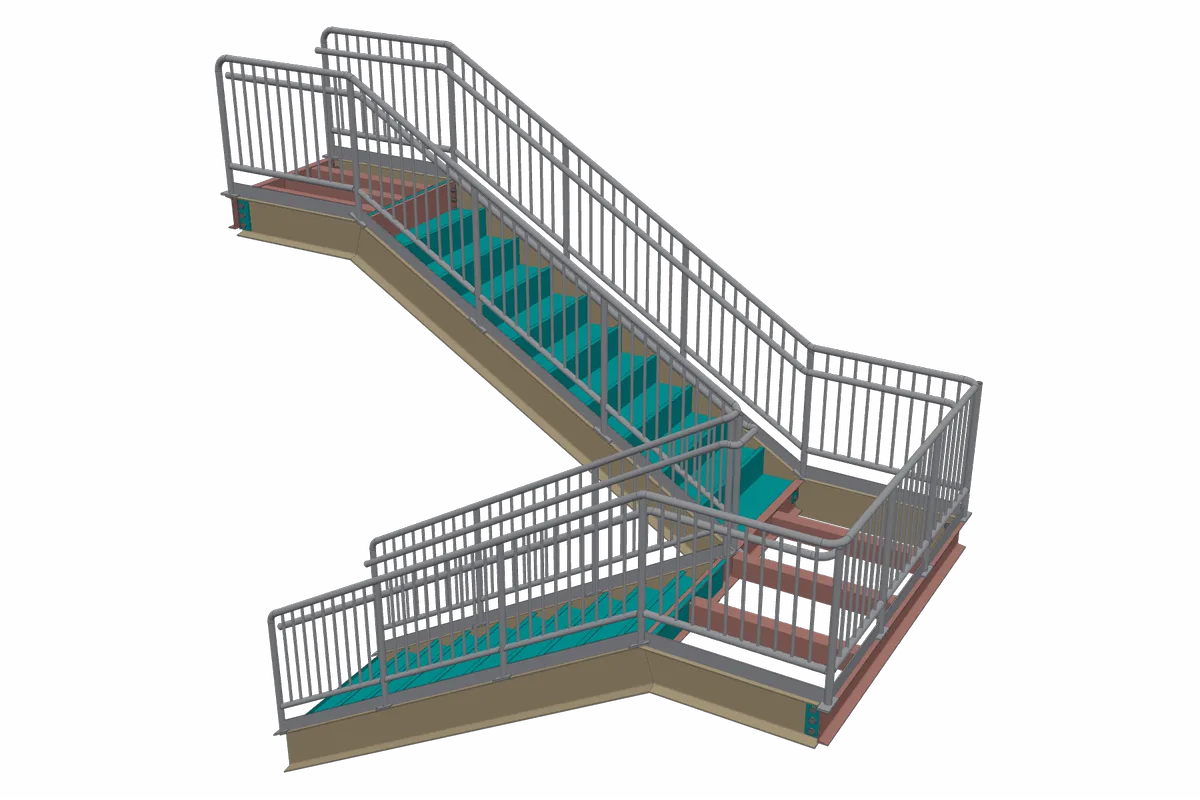
Picket guard · kick plate · offset handrail both sides
Two flights with a picket guard and a separate offset handrail on each side.
Midrail Stair
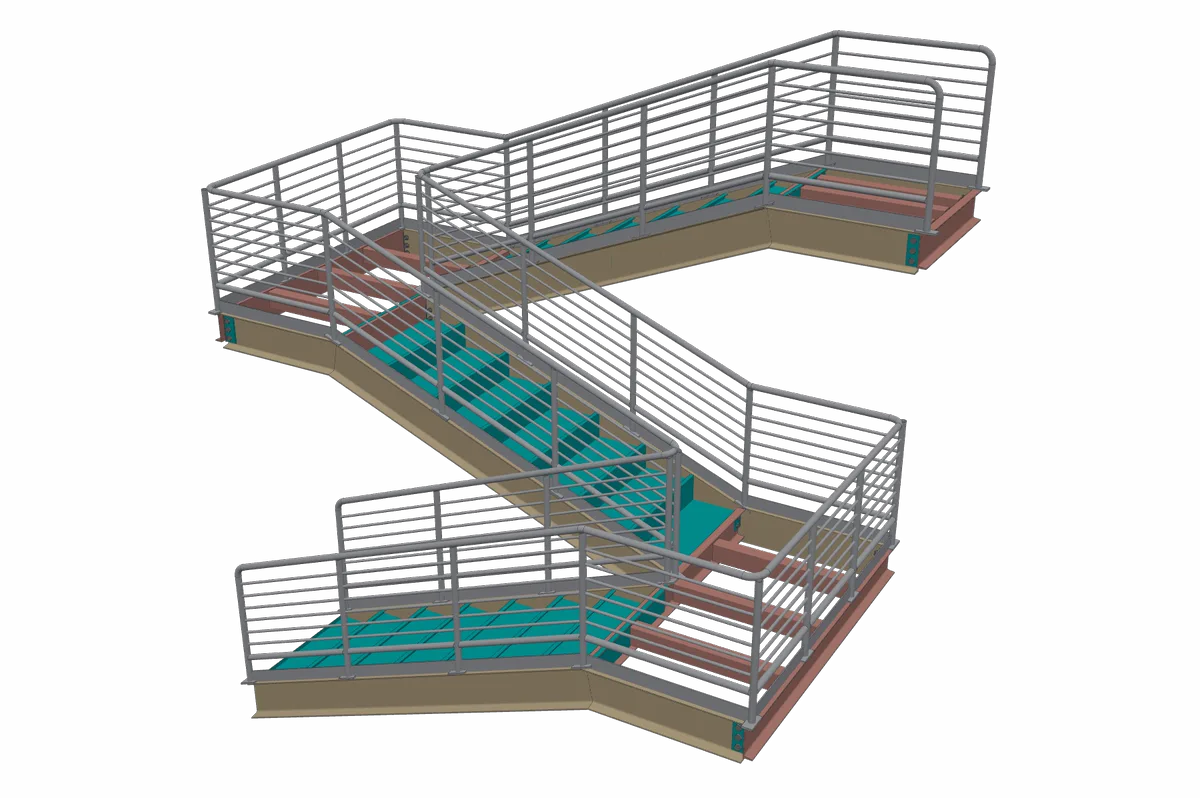
Midrail guard · kick plate · 3 flights
A three-flight switchback with horizontal midrails in place of pickets, carried around both landings.
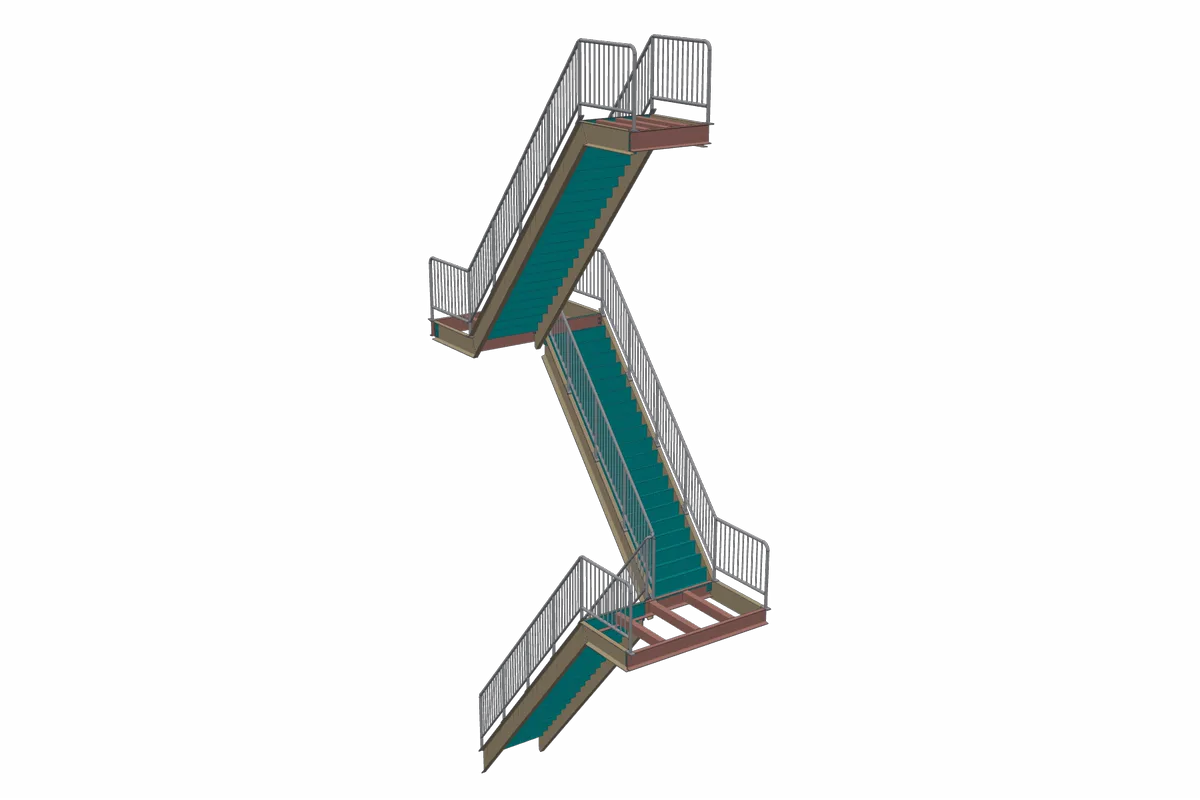
Three-Story Stair
Picket guard · no kick plate · 3 stories
One flight per story, turning at each floor landing and stacked three stories high, with the kick plate switched off.
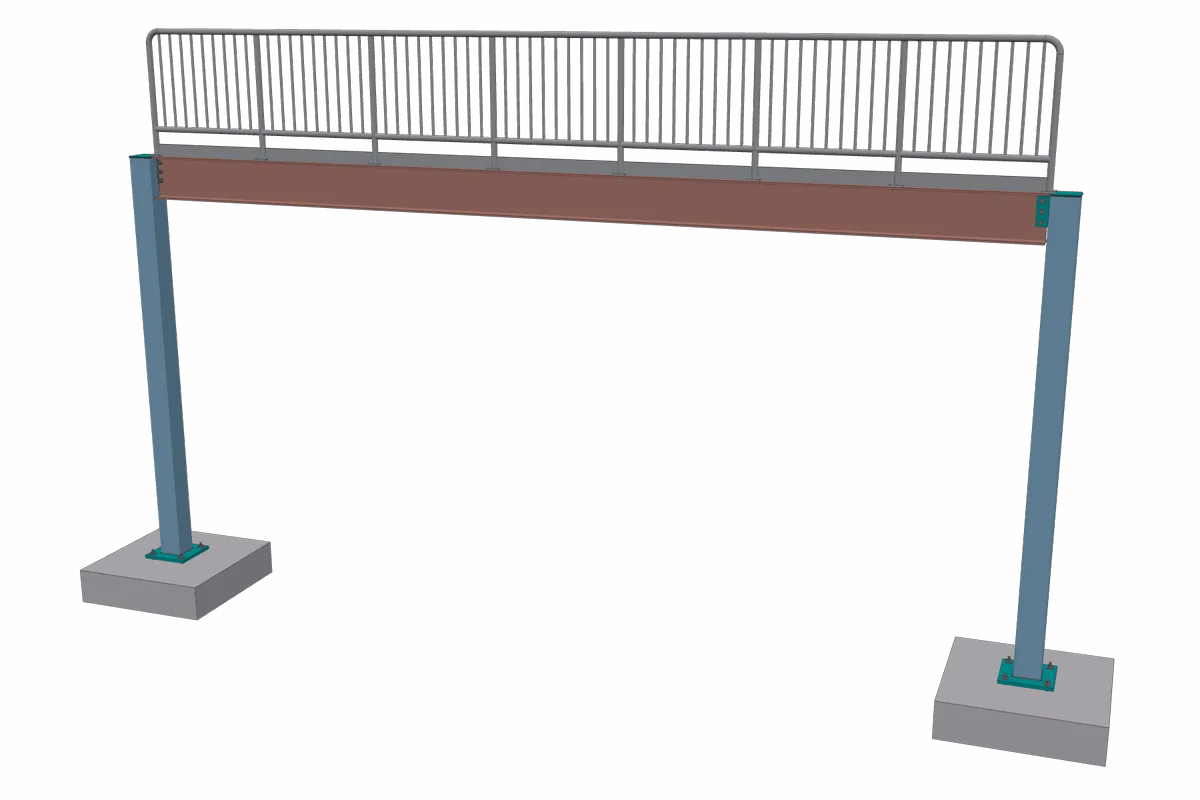
Picket Guardrail
Picket · kick plate · W14X38 girder
A guardrail carried on its girder, with posts, rails, pickets and a kick plate.
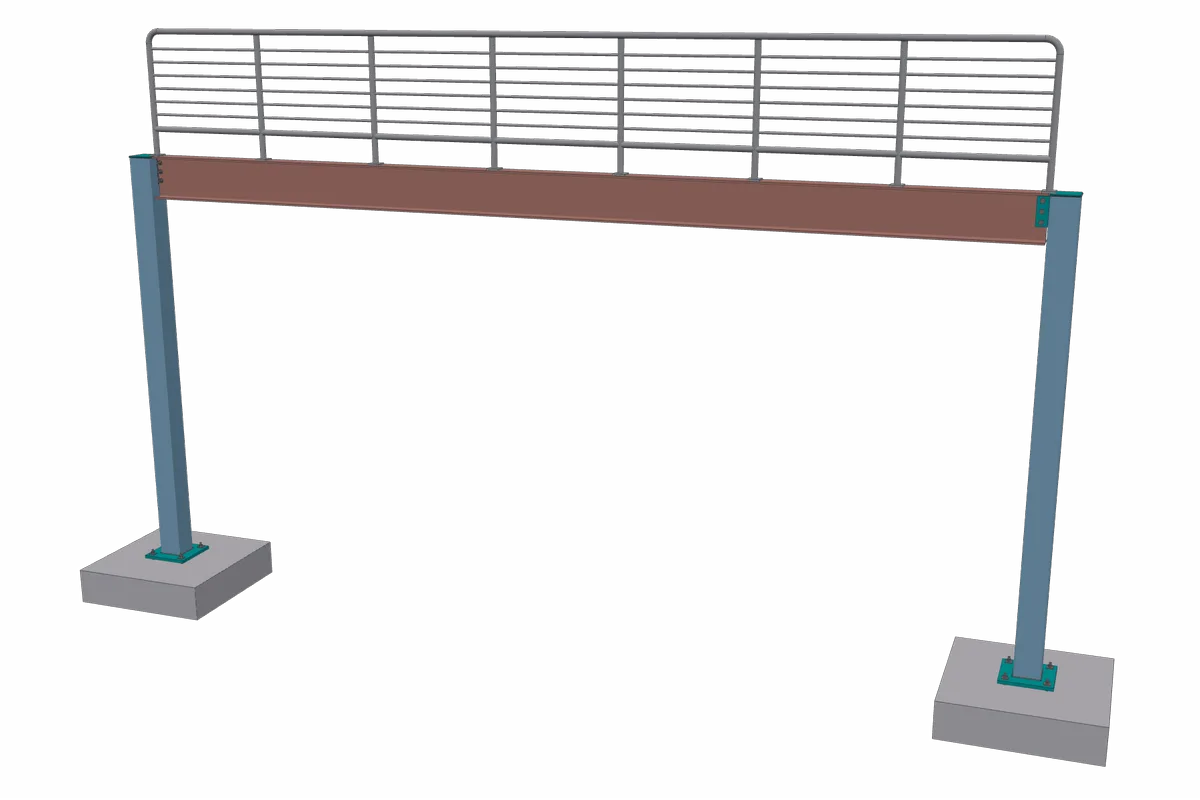
Midrail Guardrail
Midrail · no kick plate · W14X38 girder
The same girder guard with midrail infill and the kick plate switched off.
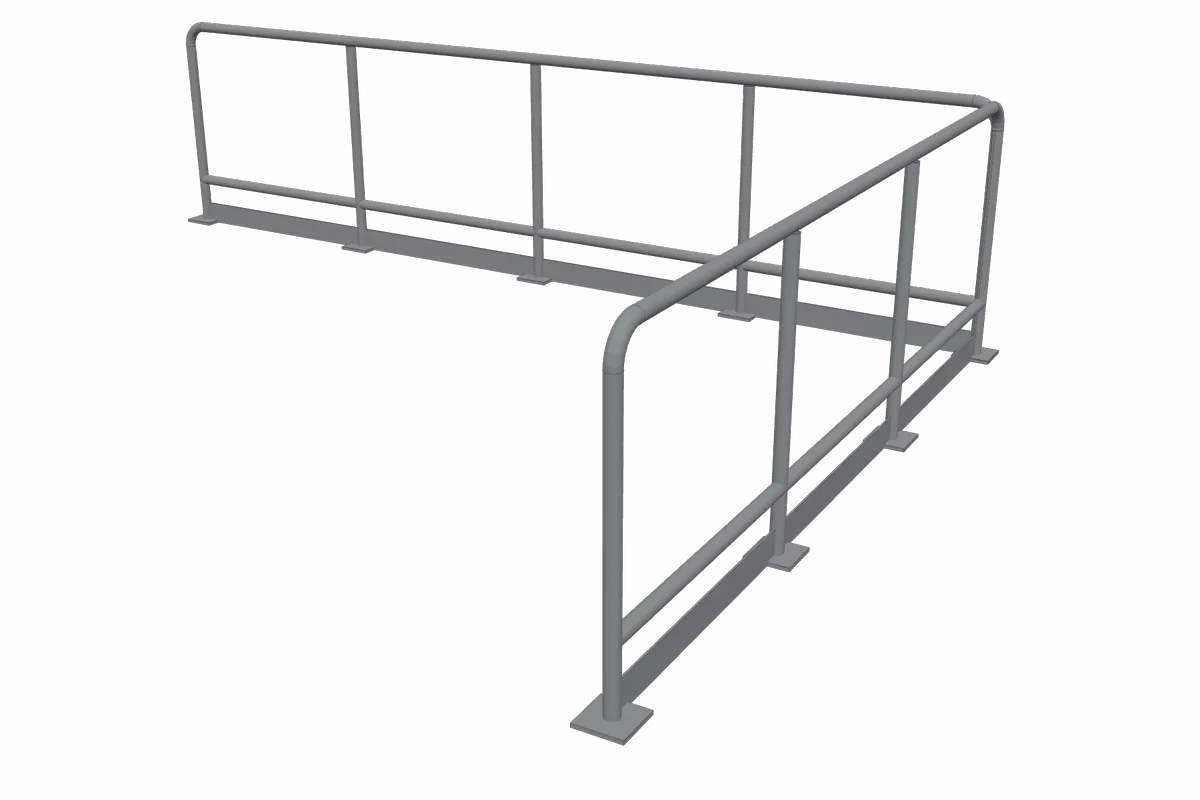
Two-Line Plan Rail
Two-line · L run · no host beam
A two-line rail drawn straight onto the plan as an L, turning the corner as one continuous rail.
Misc members
The small pieces add up on a bid. Girts, kickers, lintels, walls and RTU frames are modelled in the framing around them, so they land in the takeoff where they belong.
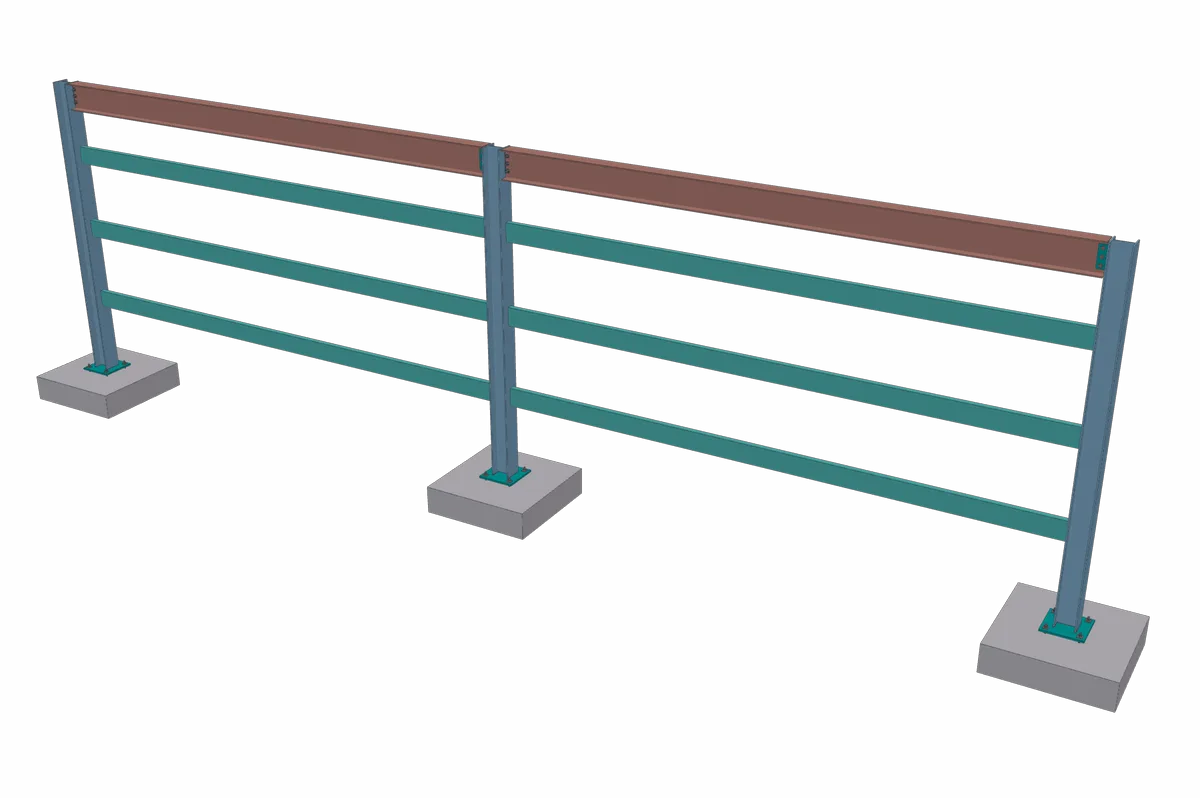
Girt Wall
C8X11.5 girts at 36 in · W8X31 columns · W12X26 eave
Three-high girt stacks framed between wall columns under an eave beam.
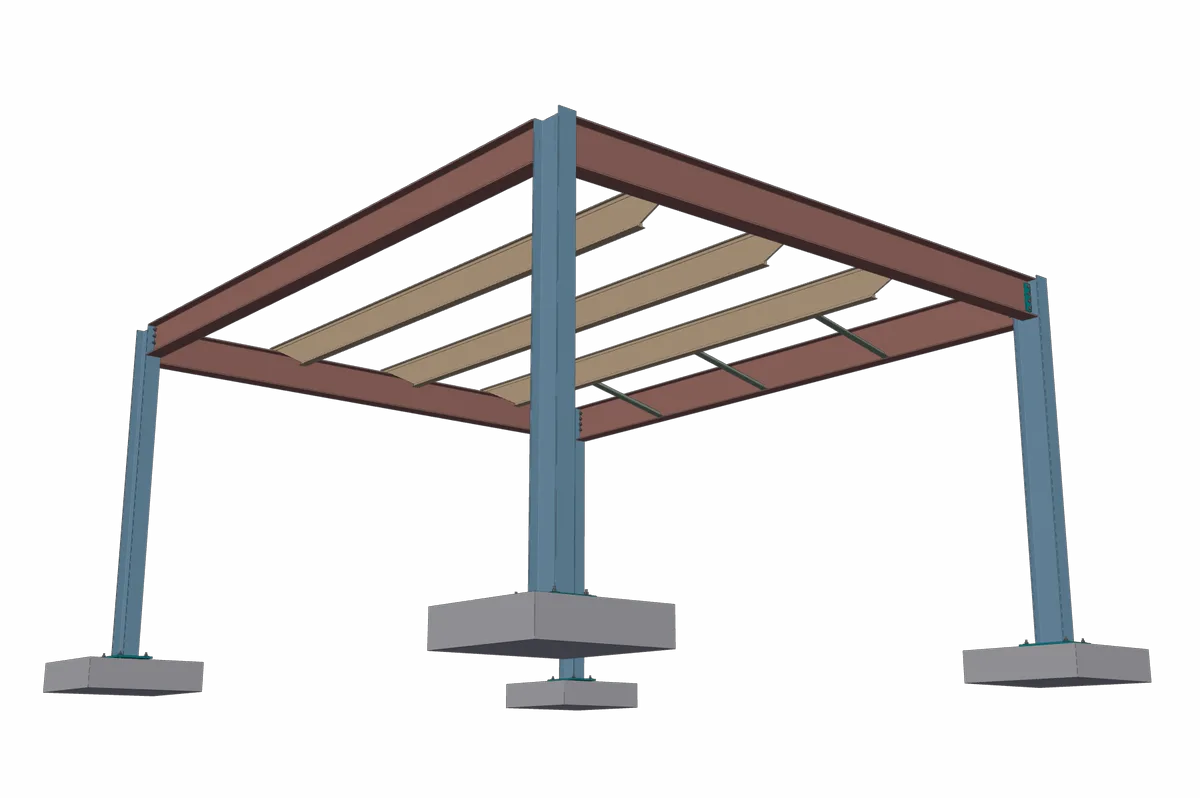
Kickers
L3X3X1/4 kickers · W18X35 spandrel · 14K1 joists
A spandrel beam's bottom flange braced back to the first joist at three points.
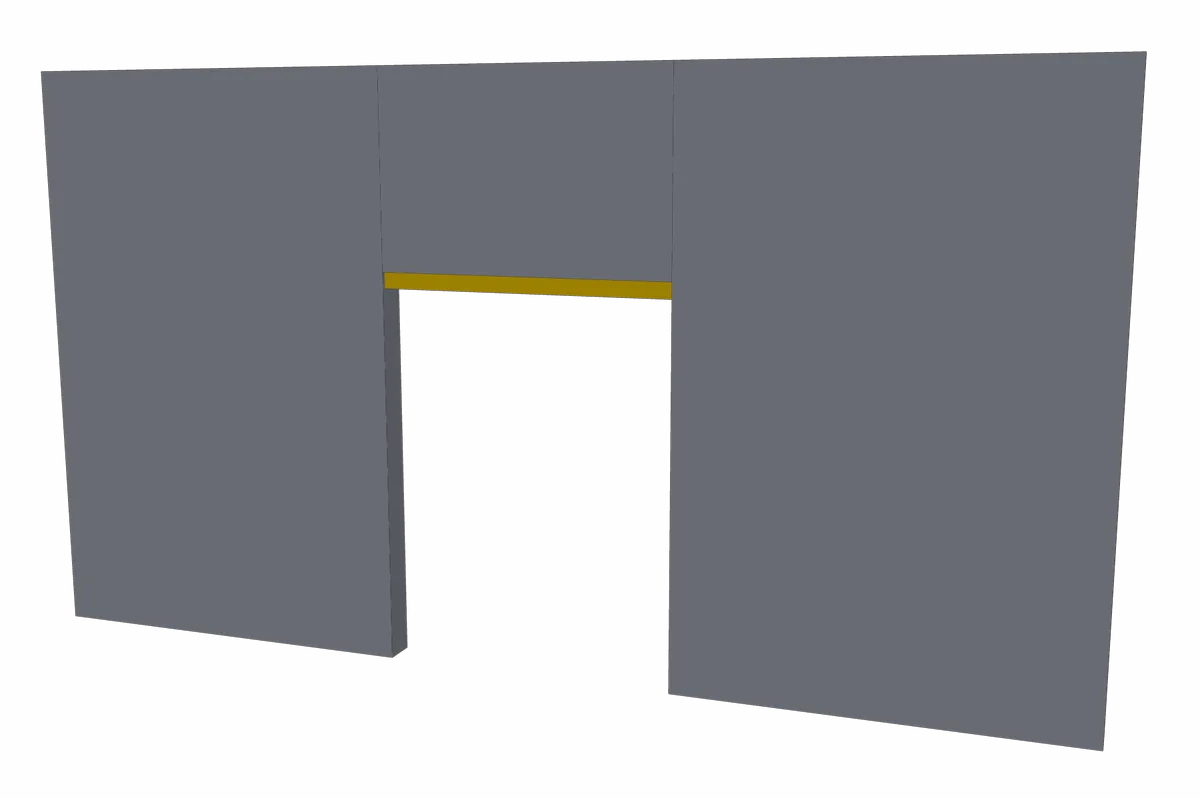
Lintel
L6X4X3/8 lintel · 6 ft opening · 8 in masonry
A steel lintel over a door opening in a masonry wall, bearing a foot into the wall on each side.
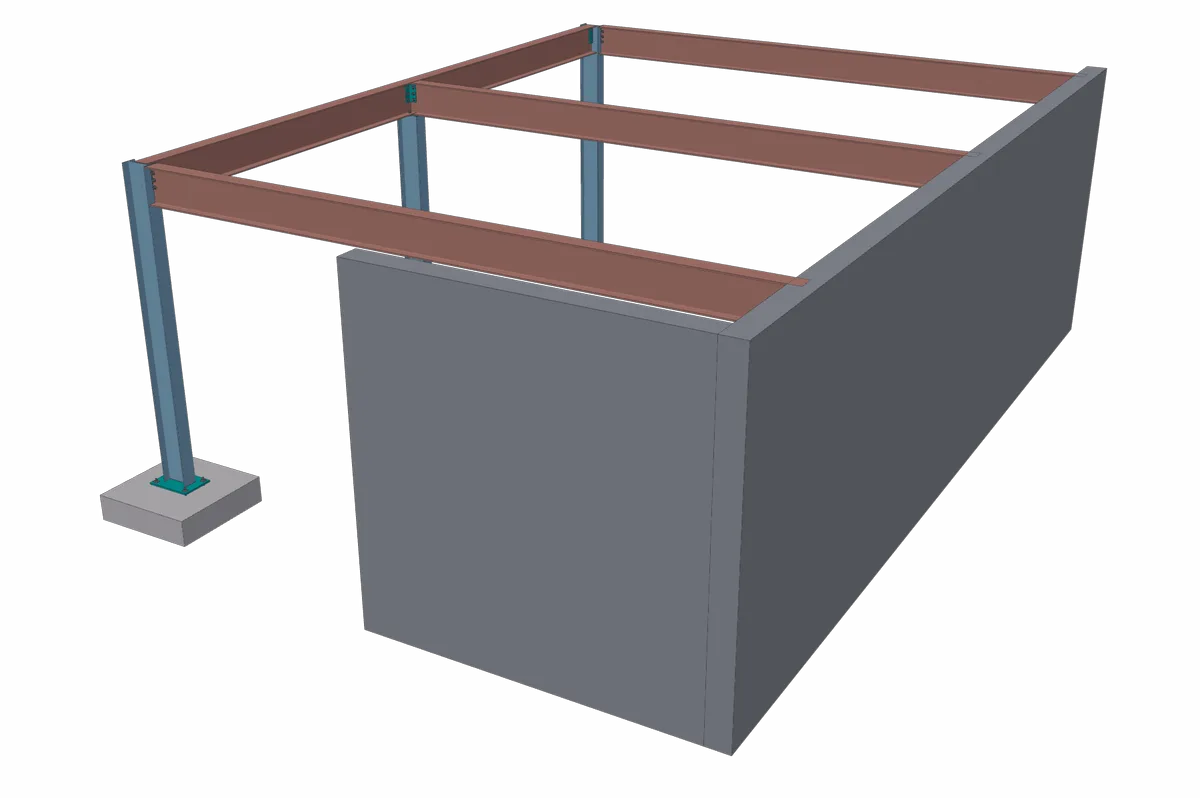
Walls with Embeds
10 in concrete wall · W16X40 beams · embed plates
Beams span from a girder line onto a concrete wall and bear on embed plates cast into it.
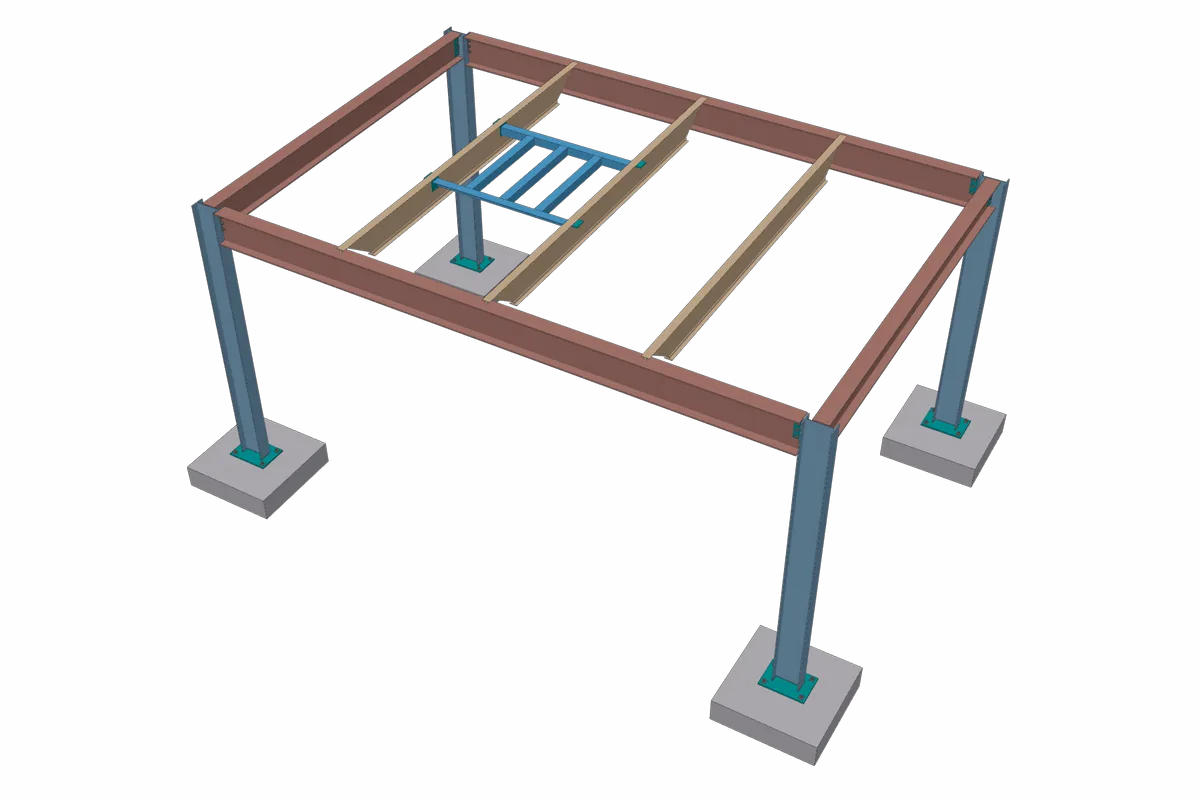
RTU Frame
L4X4X1/4 frame · 3 secondaries · 14K1 joists
A rooftop unit frame spanning between two roof joists, with its secondaries and end clips.
Trusses
Draw a truss once and reuse it anywhere. SteelGenie builds the chords and webs, cuts each member to the ones it meets and puts a gusset plate at every node, so the truss reaches the takeoff complete.
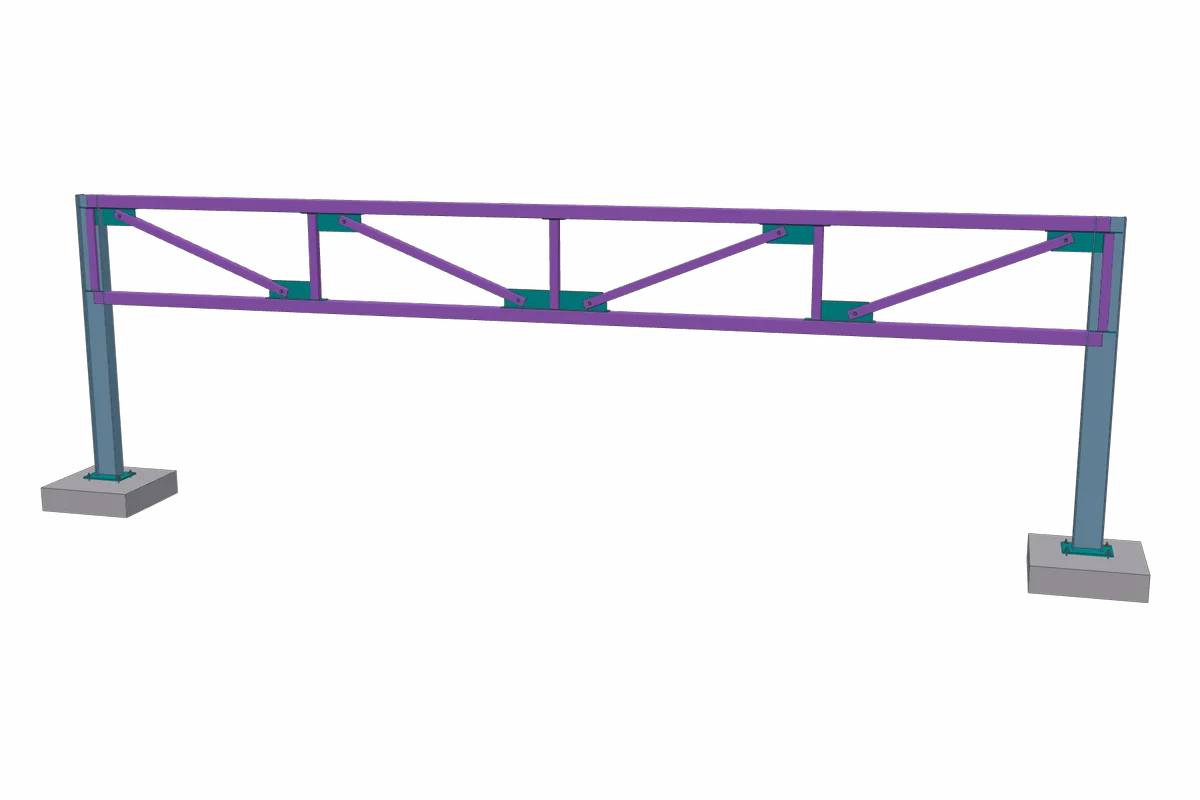
Pratt Truss
HSS6X6X3/8 chords · HSS4X4X1/4 webs · W12X26 columns
Parallel chords with verticals and diagonals, set between two columns. Each node gets its own gusset plate.
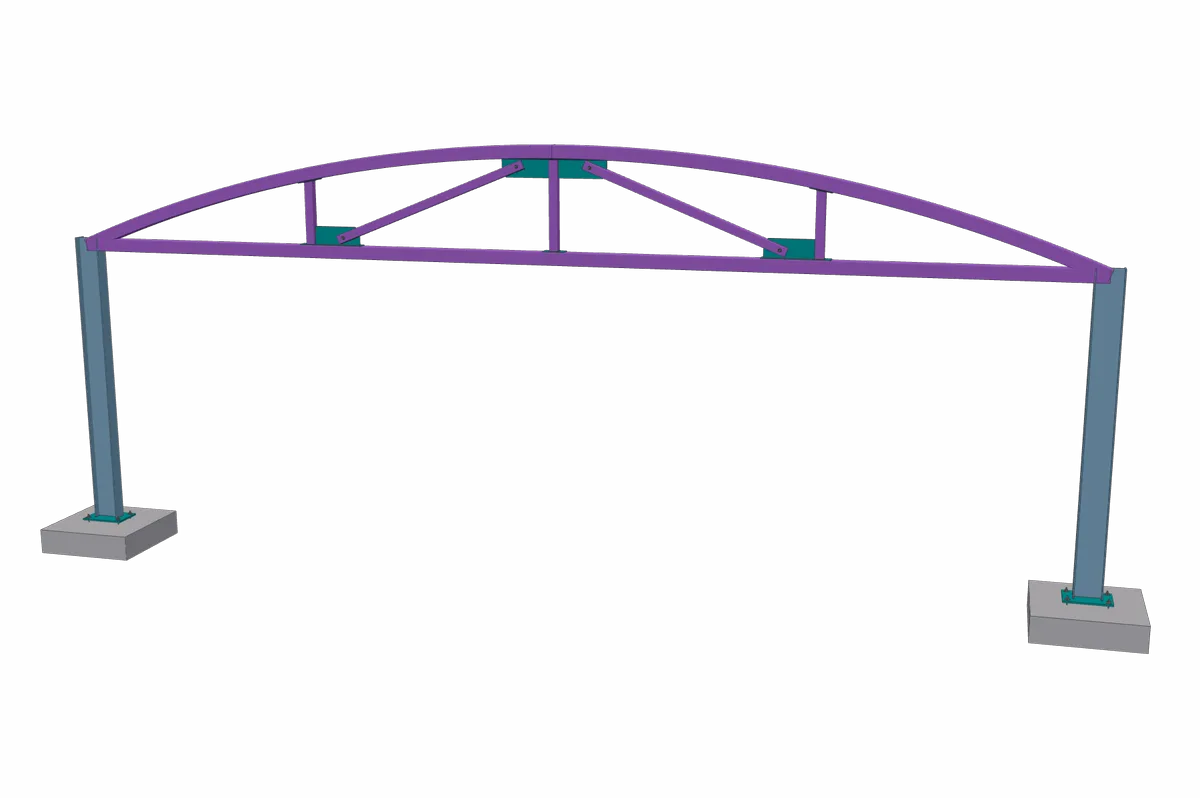
Bowstring Truss
HSS6X6X3/8 chords · HSS4X4X1/4 webs · 48 in rise
The top chord is one arc rising four feet over the bottom chord, and every post is cut to meet the curve.
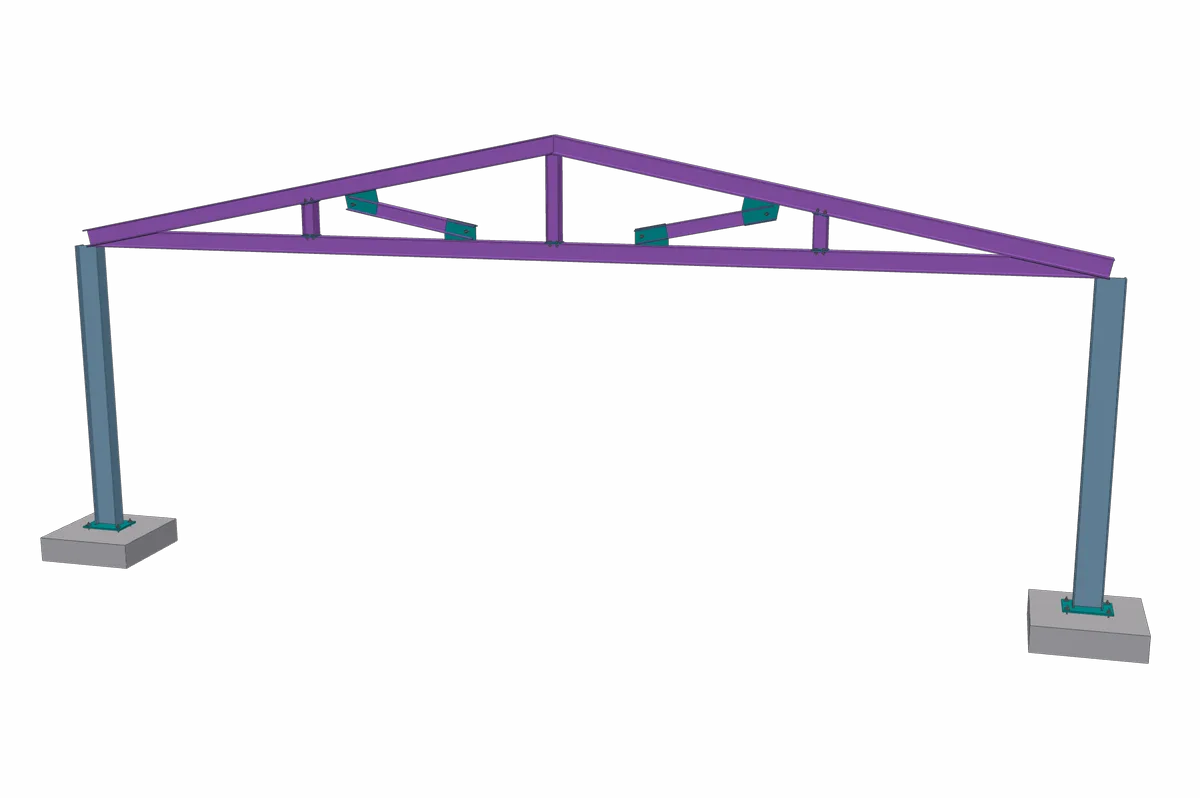
Gable Truss
W8X31 rafters · W8X24 bottom chord · W6X15 webs
Wide-flange rafters mitred at the apex and at both heels, with the posts seated on the flanges.
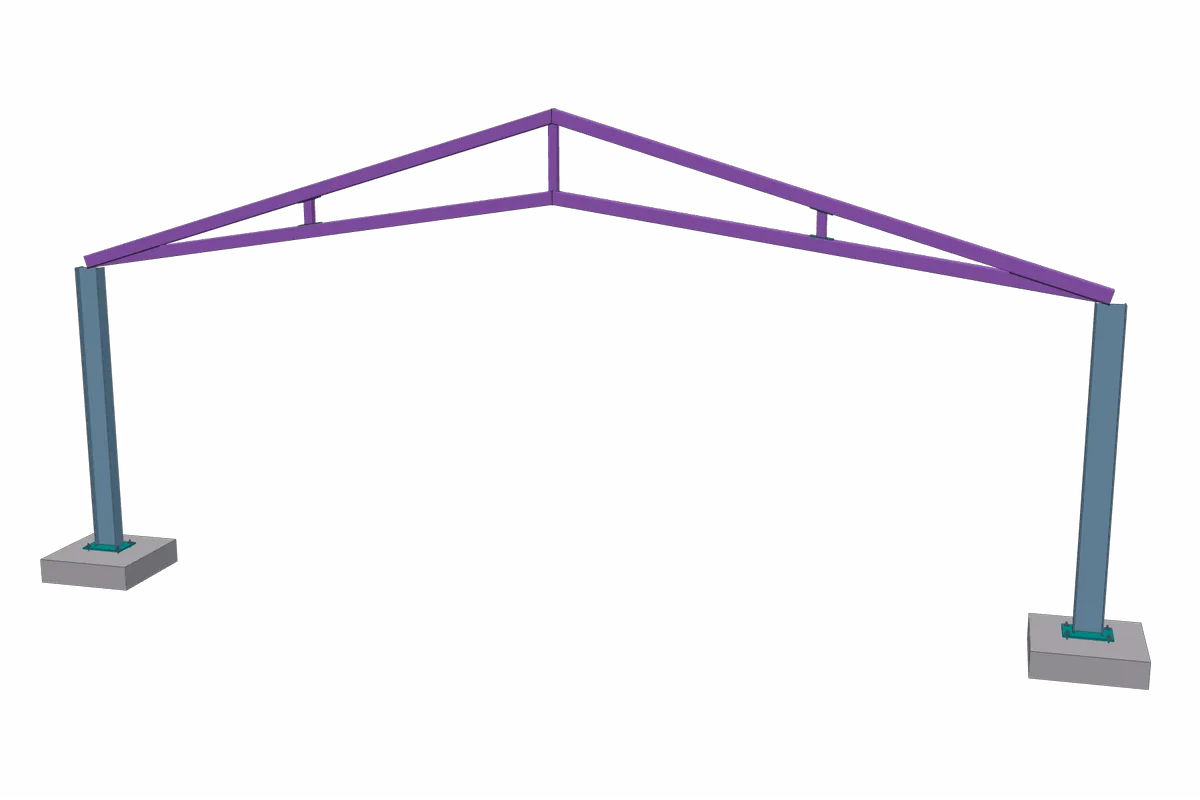
Scissor Truss
HSS6X6X3/8 chords · HSS4X4X1/4 webs
Sloping bottom chords under a pitched top, with each post seated on a sloped face and cut to it.
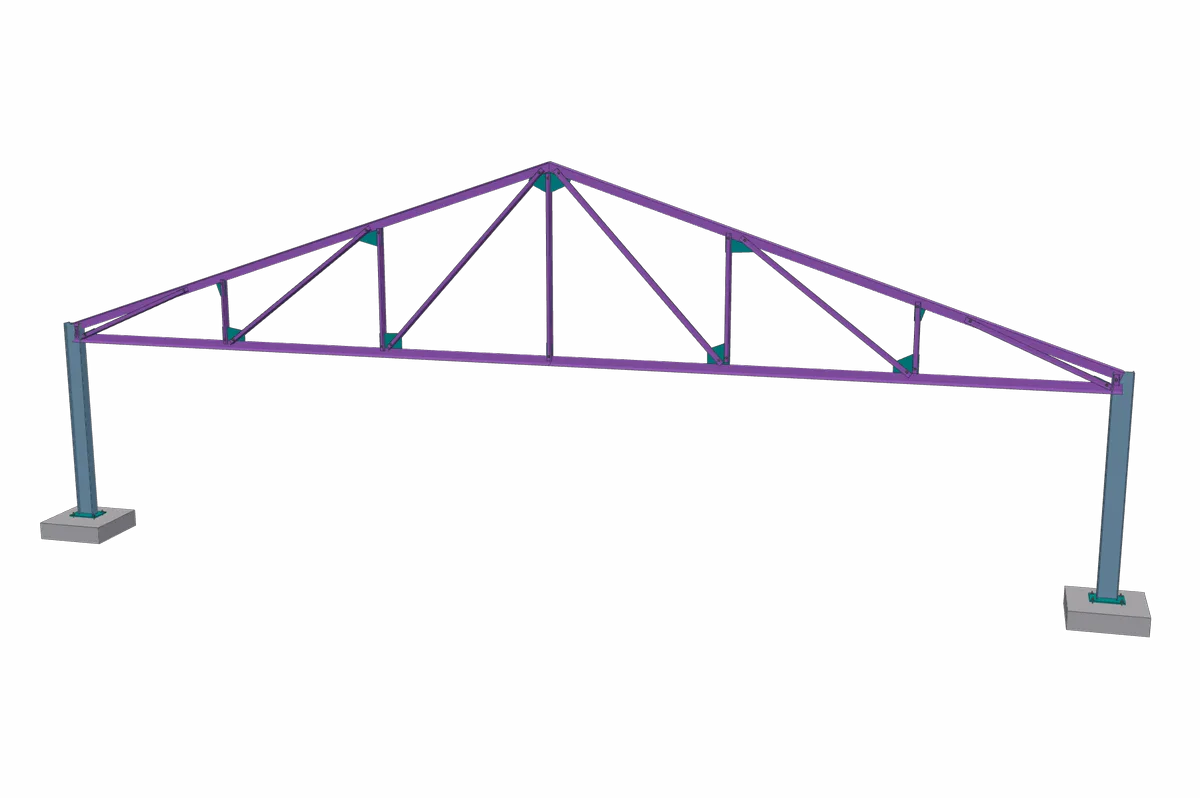
Howe Truss
WT6X20 chords · 2L3X3X1/4 webs · 60 ft span
A pitched truss with tee chords and double-angle webs, one gusset per node on the tee stems.
Curved
Curved steel is billed by its true arc length. Beams, girts and lintels can curve in plan or in elevation, and whatever rides on a curved beam, such as a pour stop or a guardrail, follows the same arc.
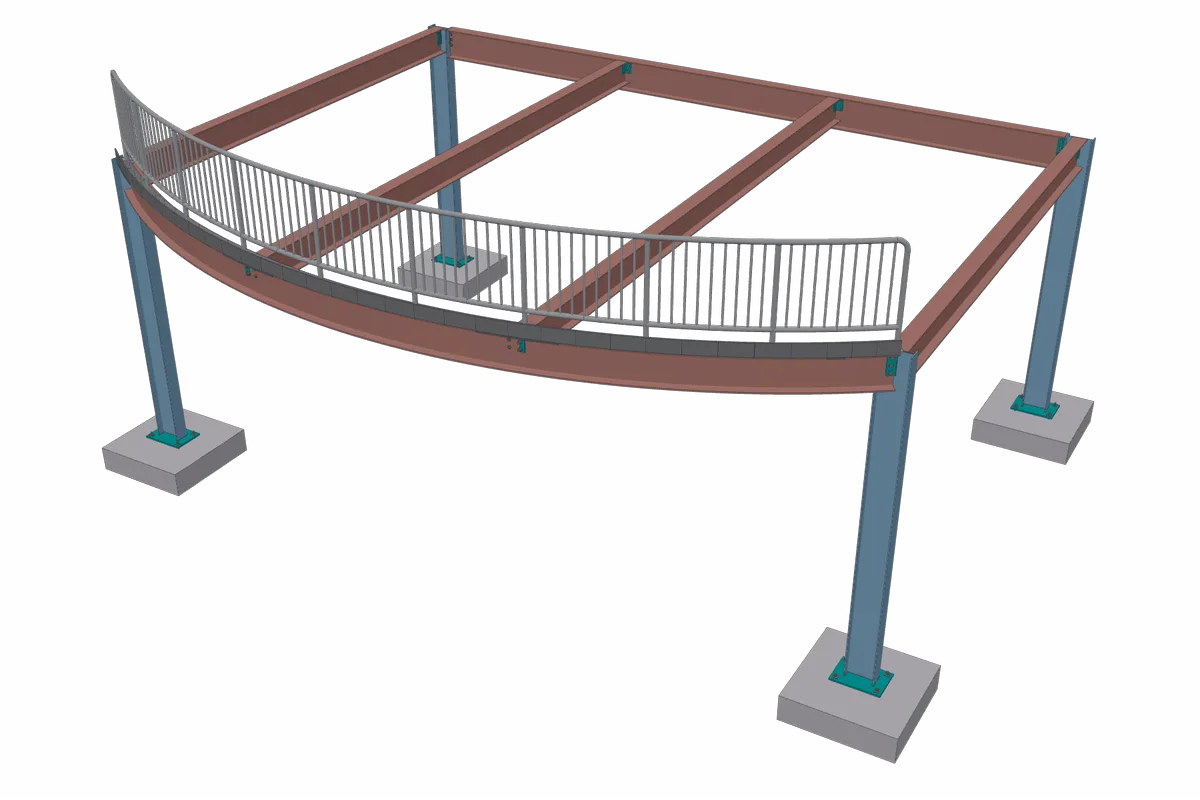
Curved Slab Edge
W14X38 edge, 25 ft radius · W12X26 infill · bent-plate pour stop
A floor bay whose front edge bows out on a curved beam. The infill beams frame into the curve, and the pour stop and guardrail follow it end to end.
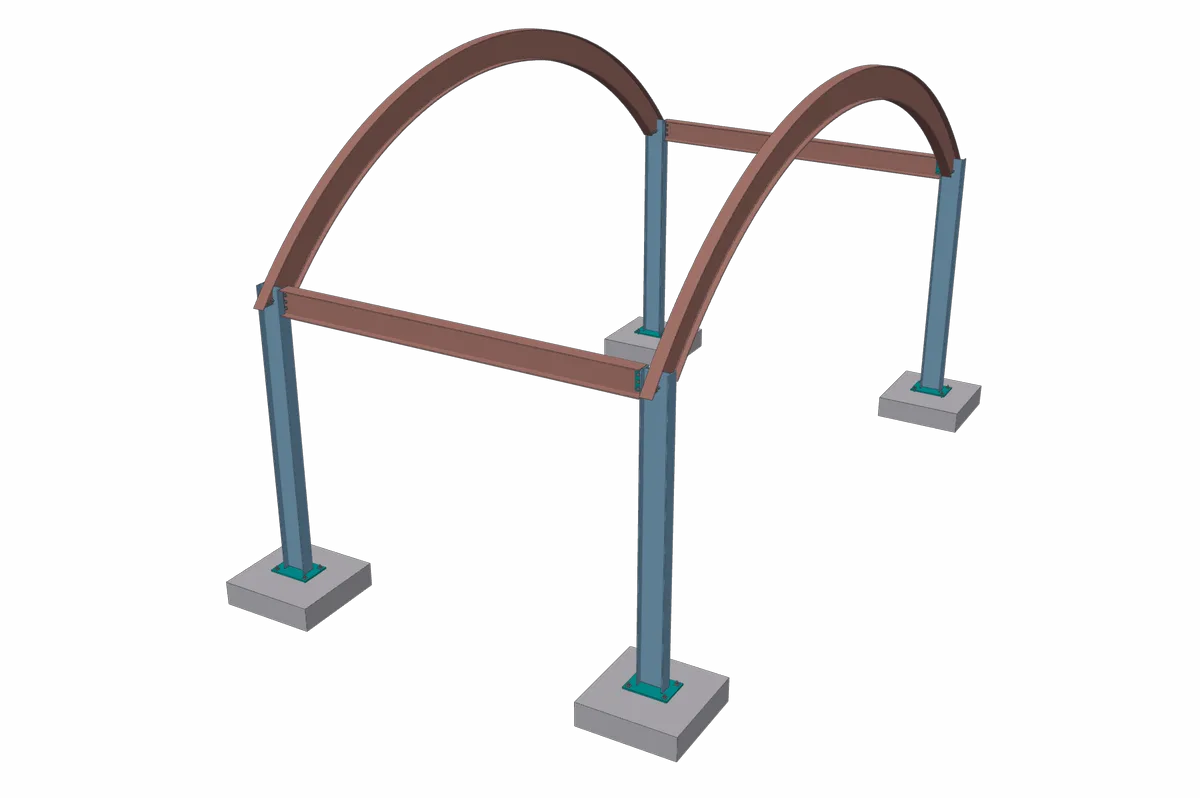
Arched Canopy
W16X31 arches · 20 ft radius · 30 ft span
Two arches rolled in elevation, each one piece from column to column, tied together at both ends.
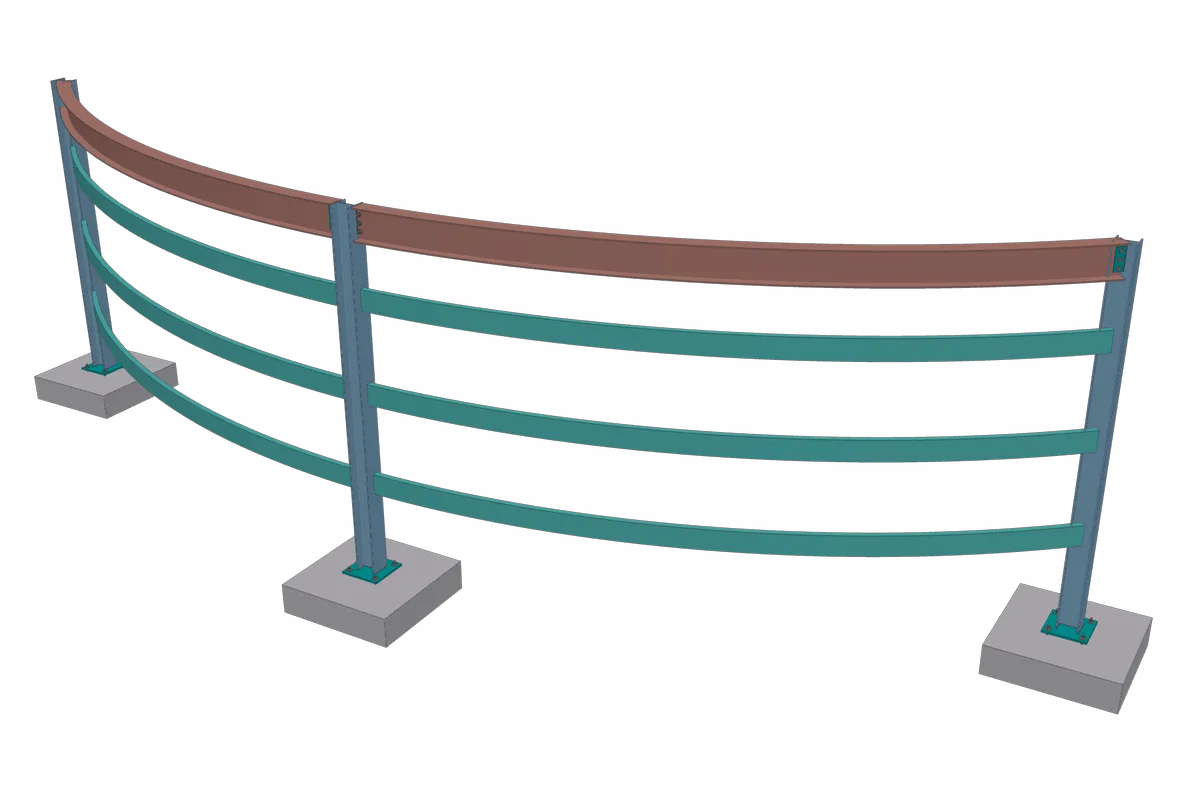
Curved Girts
C8X11.5 girts · W12X26 eave · 30 ft radius
A wall that curves in plan. The girt stacks and the eave beam follow the same arc from column to column.
Connections
Bracing and seated connections are where a lot of detailing time goes. SteelGenie lays out an SCBF X-brace with its corner gussets and crossing plate, seats a beam on a column cap, and tilts the cap plate when the beam is sloped.
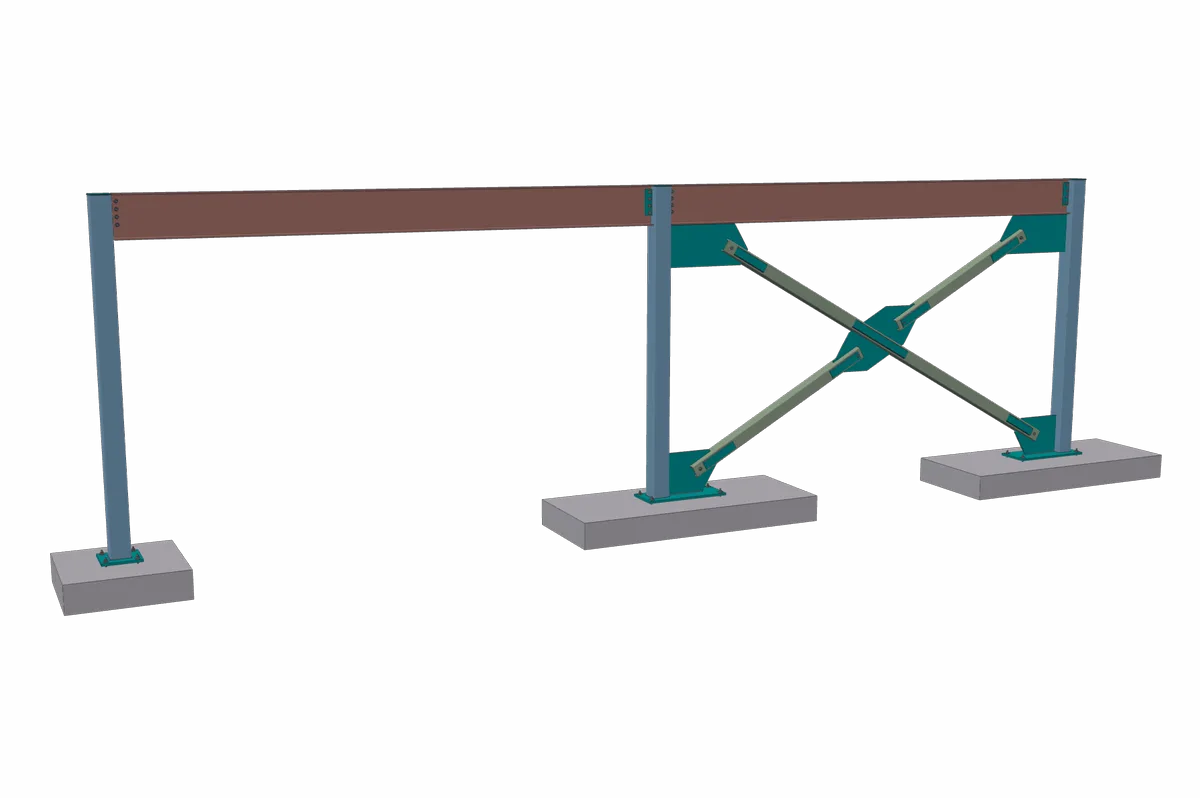
SCBF X-Brace
HSS6X6X1/2 diagonals · HSS8X8X1/4 columns · W18X35 beam
A special concentrically braced bay of tube diagonals in a three-column frame line, with gussets at the corners and a plate where the diagonals cross.
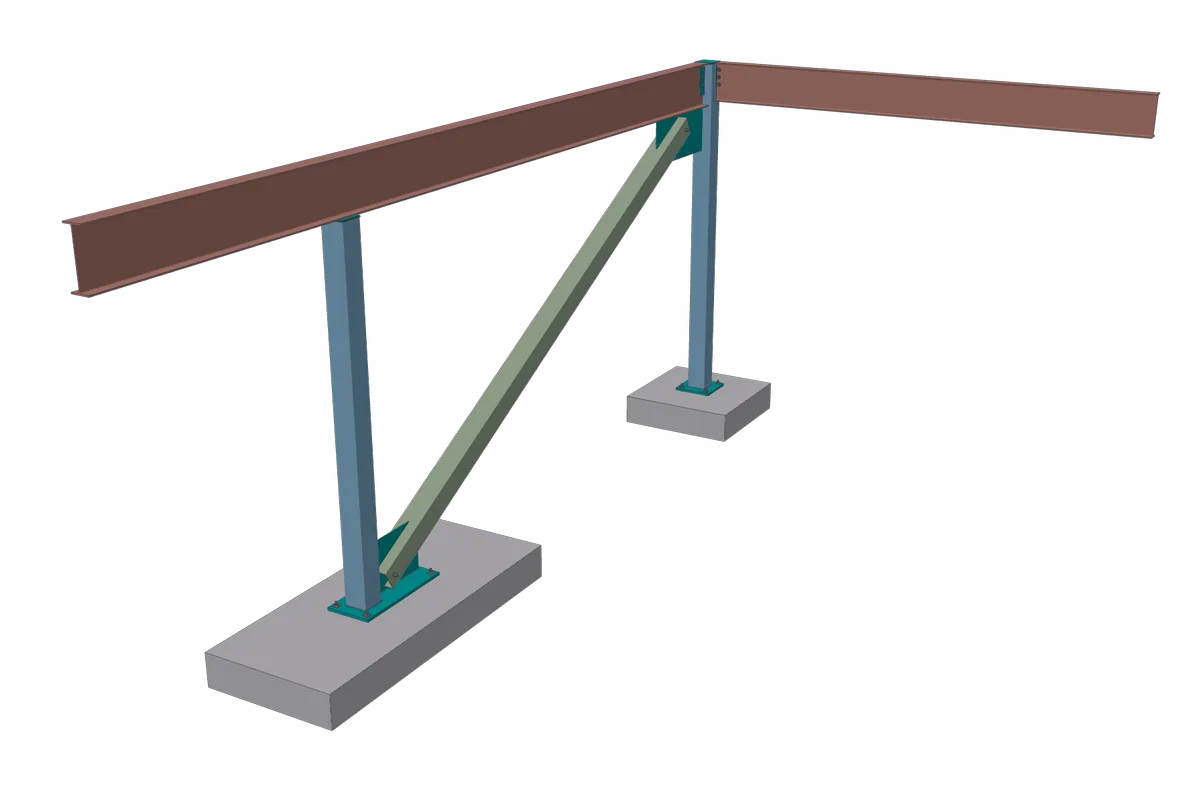
Beam Seated on Column
W18X35 · W16X26 · HSS8X8X1/4 columns and brace
A beam that runs over its column and bears on the cap plate, with a vertical brace in the bay below.
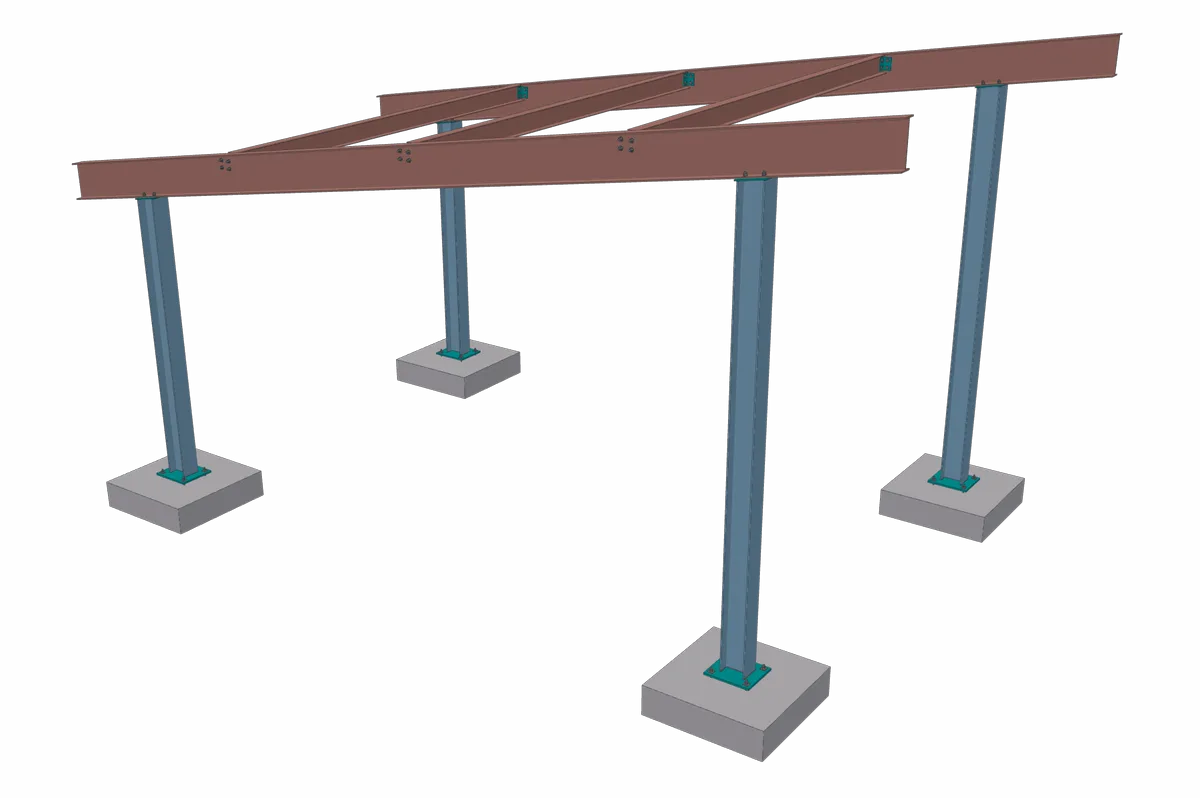
Sloped Canopy
W16X31 rafters · W8X10 purlins · 2:12 pitch
Two rafters slope over four columns and overhang both ends. Each column is cut to the roof line and capped with a plate tilted to the rafter.
Decking
Decking is laid out sheet by sheet over the framing, and the takeoff reports its area, waste, panel count and weight.
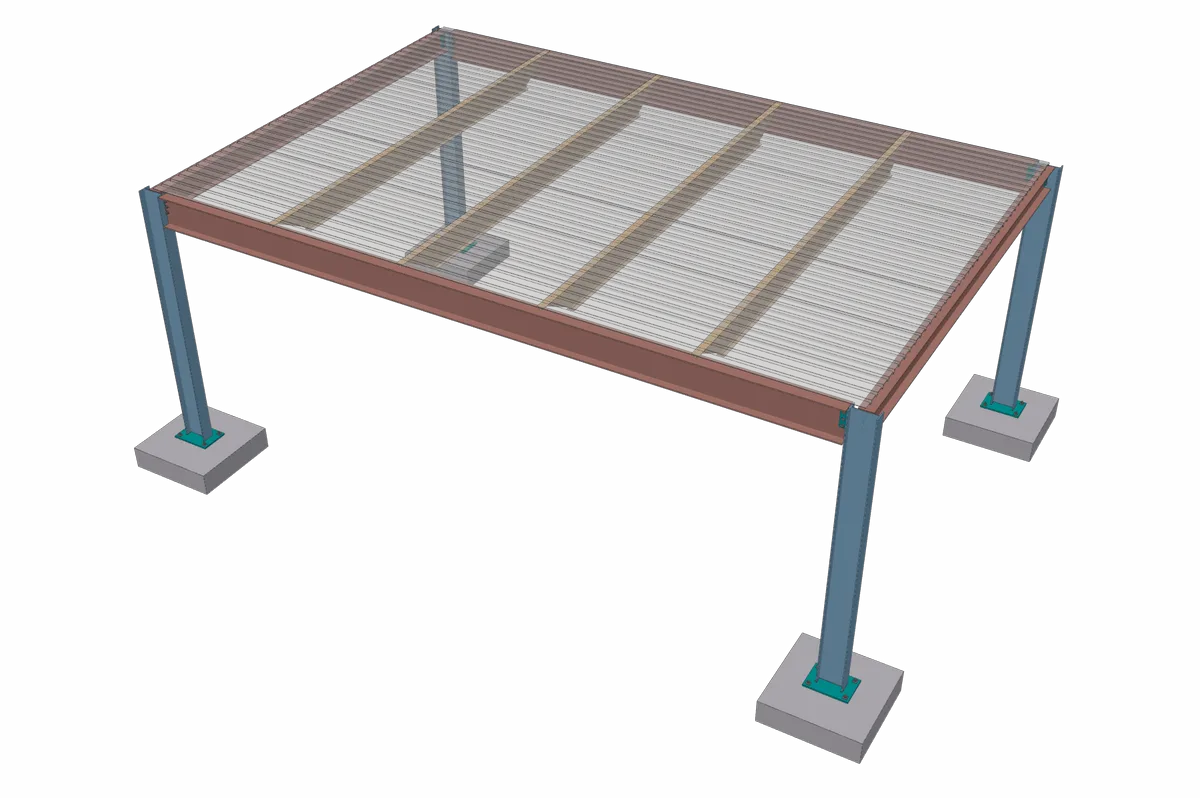
Roof Deck
1.5B 20 ga · 14K1 joists · 30 ft runs
Seven sheets across the bay, each lapping one rib onto the next, laid over the joists they span.
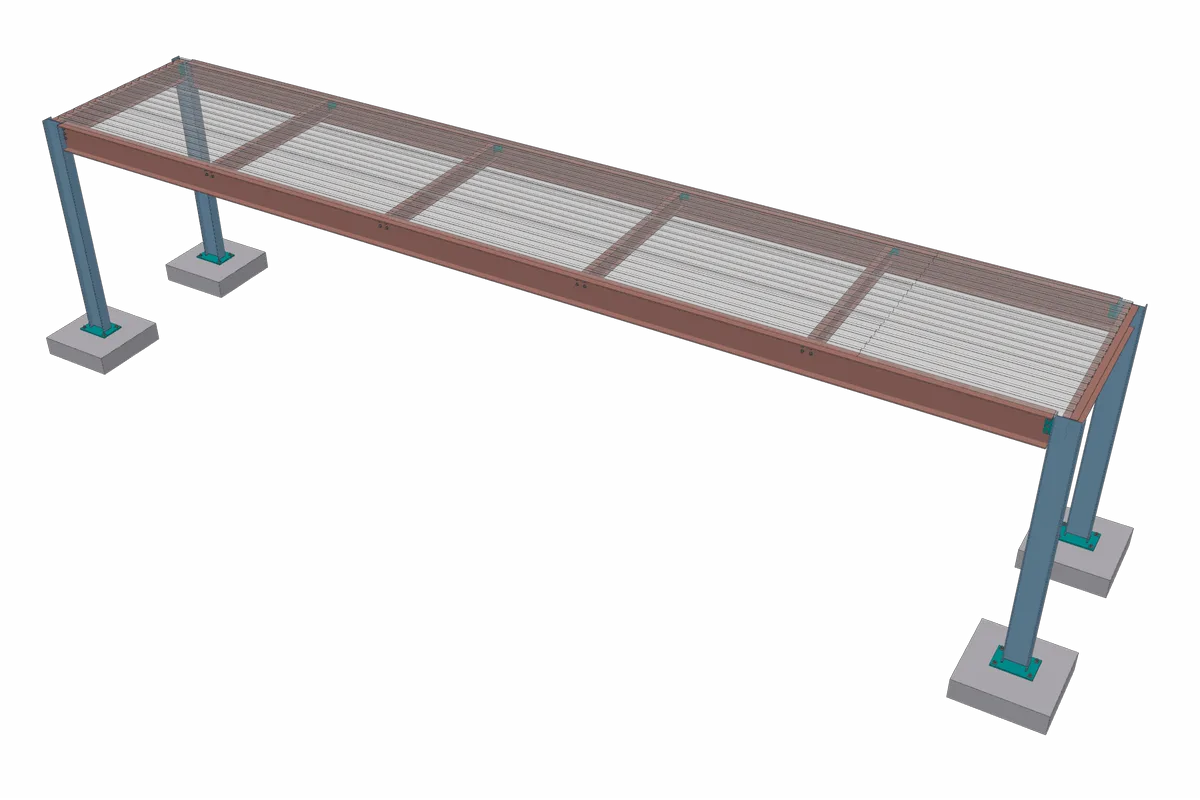
Composite Deck
1.5VLR 20 ga · W10X12 beams · 50 ft runs
A composite floor deck with sheets butted end to end over the beams, a full 42 ft sheet and the balance in each strip.
What else is new
Some of the newest work does not show up in a 3D view, but it changes how a takeoff gets done.
- Revision Compare. Compare revisions across the plan, the 3D model and the BOM.
- Detail templates. Save base plates, connections and stairs as templates and reuse them on the next project.
- Stock lengths. Long members are split into stock lengths automatically.
- Excel Takeoff Summary. The Excel export includes a Takeoff Summary sheet for the bid.
- Claude, Codex and Copilot. MCP connectors let you work on your SteelGenie projects from Claude, Codex and Microsoft Copilot.
Every example on this page was built by SteelGenie and exported to a single IFC file. The renders and the 3D model come straight from that file, so what you see here is what an IFC viewer opens.
